Build a Control Panel
JMRI Panel
My digital control panel was built using Panel Editor and is displayed on a compact LCD monitor by JMRI PanelPro 2.4.1 on OSX 10.4.6, the last version supported by my MacMini hardware/Java combo.
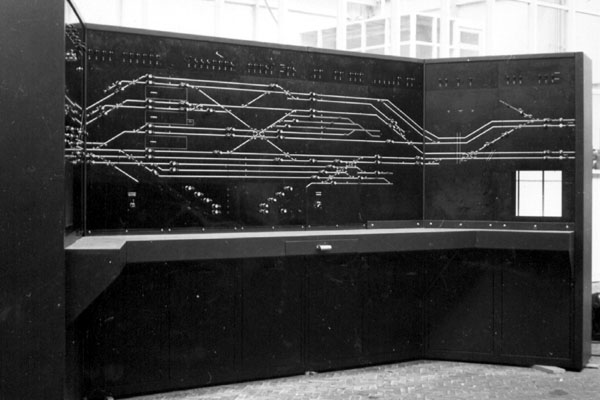
The graphics match a generic (US-built) Entrance-Exit (NX) CTC machine, in use from 1950 until the mid-nineties. However, most turnouts are operated with an Individual Function Switch (IFS); see the Signaling Wiki.
I started by drawing a compact track schematic in 4 pt white lines on a black background. At the switches I erased the connecting lines to enable the JMRI small track schematic icons to display the turnout positions. Tunnels are drawn in a medium grey. I edited some JMRI turnout icons to apply at 45 degree lines, as free rotation was not yet in JMRI at the time. Locations, Block boundaries and numbers were added to help in the orientation of the dispatcher.
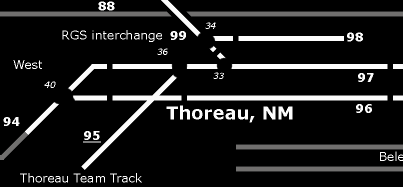

In JMRI PanelPro icons from the Small LED schematics group were added to show track occupancy and Medium LED icons to display and control the current state of lighting etc. JMRI Routes are used to control the yard ladders. Turnouts in hidden trackage are monitored using Infrared detectors, also shown on the panel, supported bij audio signals produced by JMRI.
Some years later, signals were added on the layout as well as to the panel. All the logic to show the correct Aspects is controlled as Signal Mast Logic following a customized Rio Grande 1965 Rule Book signal definition.
Physical panels
My control panels on the layout fascia sport the same graphic style, be it black on yellow to match the carpet:

Enjoy Reading This Article?
Here are some articles you might like to read next: